Swipe Photo Cleaner for iPhone
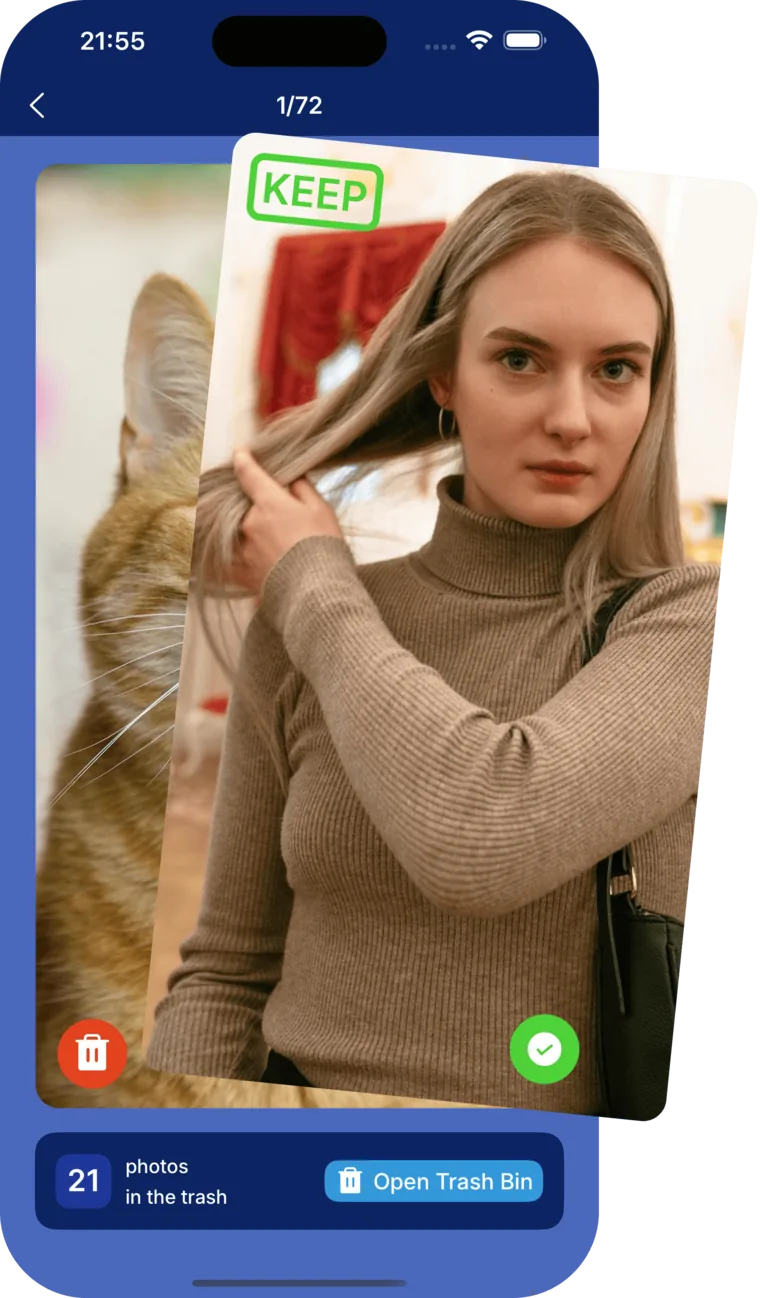
Reviewing 10,000 photos in a grid is a chore. Reviewing them one by one with a flick of your thumb is almost fun. Swipe right to keep, left to delete, and watch your library get lighter by the minute.
- Swipe left to delete, right to keep: review hundreds of photos in minutes
- Full-screen preview, so you always see exactly what you are deleting
- Deleted photos go to Recently Deleted, recoverable for 30 days

How swipe cleaning works
- 1. Pick a spot: start from a month, an album, or your screenshots.
- 2. Swipe: right keeps the photo, left marks it for deletion. Each photo shows full screen.
- 3. Review: check the delete pile before confirming, nothing is removed mid-swipe.
- 4. Clean: confirm once and reclaim the space.
The fastest way through a messy library
Grids hide problems: a blurry shot looks fine at thumbnail size, and tapping into every photo takes forever. Swiping shows each photo full screen and turns the keep-or-delete decision into a half-second gesture. Most people clear years of screenshots, memes, and misfires in a single session.
It is also the perfect complement to automatic cleanup: let AI handle duplicates and similar shots, then swipe through what remains.
Safe by default
Swiping left never deletes anything instantly. Marked photos wait in a review pile until you confirm, and even confirmed deletions sit in the iPhone's Recently Deleted album for 30 days. Like every Cleana feature, swipe cleaning runs entirely on your device and needs no internet connection.
Frequently Asked Questions
What is a swipe photo cleaner?
An interface for reviewing photos one at a time with gestures: swipe right to keep a photo, swipe left to delete it. It turns library cleanup into a fast, almost game-like flow.
Can I undo a swipe?
Yes. Swiped photos go to a review pile first, and you confirm before anything is deleted. After confirming, photos remain in Recently Deleted for 30 days.
Is swiping better than automatic cleanup?
They complement each other. Cleana's AI clears duplicates and similar photos automatically, and swiping is the fastest way to review everything else: screenshots, memes, and one-off shots only you can judge.
Does the swipe cleaner work offline?
Yes. Like all of Cleana, it runs completely on your device with no internet connection required.
Cleanup guides from the blog
Swipe your way to a lighter iPhone
Keep, delete, done. Works 100% offline, free to download.