Video Compressor & Large Video Finder for iPhone
A single minute of 4K video is 350 to 400MB. Cleana finds every large video hiding in your library, shows them sorted by size, and compresses the keepers so they take a fraction of the space.
- Lists every video sorted by size, so the biggest wins come first
- Compresses videos on-device without visible quality loss
- Delete or shrink: you decide per video, nothing happens automatically


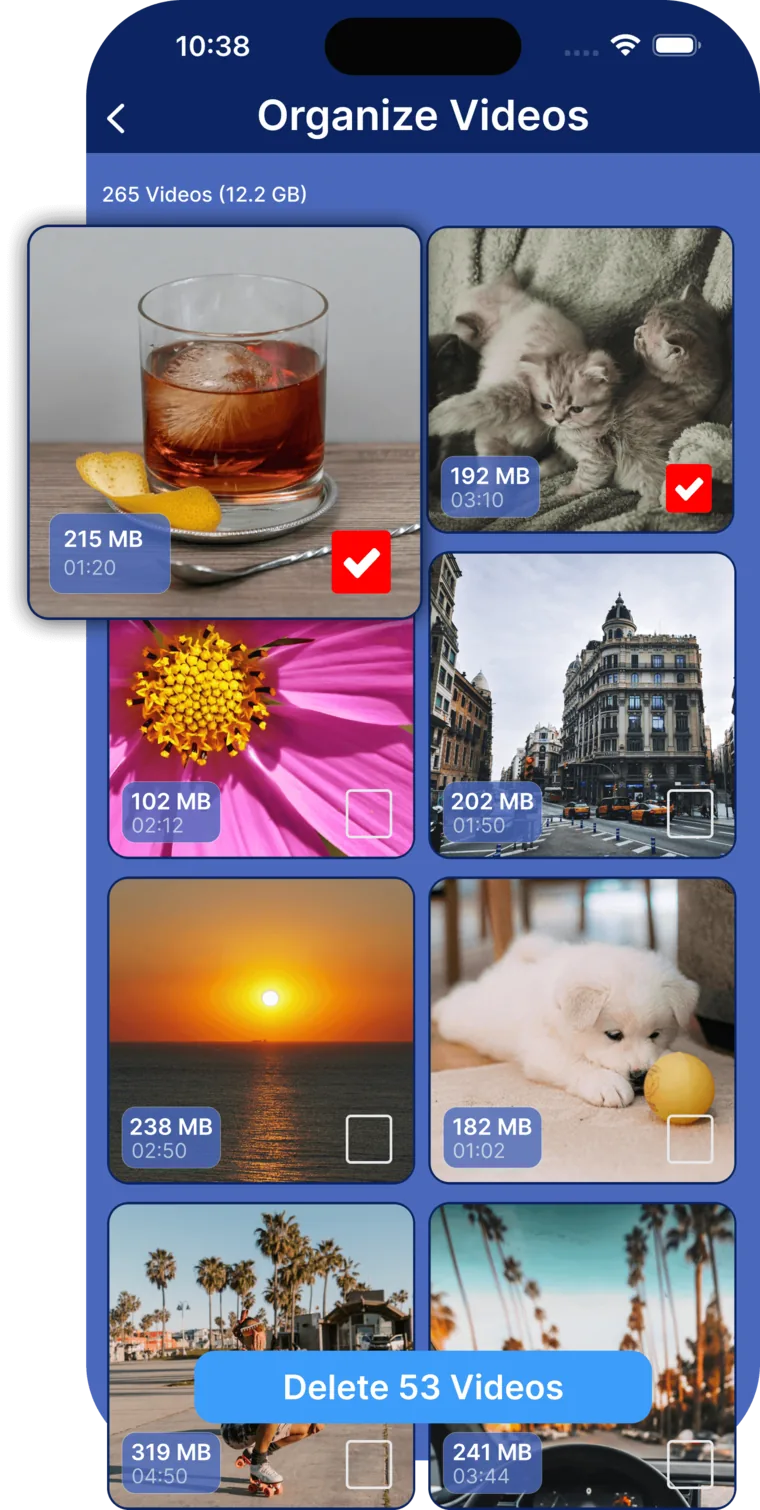
How video compression works in Cleana
- 1. Scan: Cleana indexes your library and totals up how much space video is really using.
- 2. Sort: videos are listed largest first, with file size and length visible at a glance.
- 3. Choose: delete videos you no longer need, compress the ones you want to keep.
- 4. Compress: the original is replaced by a much smaller version, processed entirely on your iPhone.
Why videos eat iPhone storage faster than anything else
Photos are measured in megabytes, videos in gigabytes. One five-minute 4K clip can take 2 to 3GB, the same as a thousand photos. A few screen recordings, some slow-mo clips, and a vacation of 4K footage, and tens of gigabytes are gone.
Worse, videos are scattered through your library where you cannot see their sizes. That is why storage feels full "for no reason". Our guide to reading the iPhone storage breakdown shows how to diagnose it.
Compression without the quality tax
Cleana re-encodes videos with modern codecs at settings tuned to stay visually indistinguishable on a phone screen, typically cutting file size by 50 to 80 percent. Processing happens on-device: your videos are never uploaded anywhere.
Combine it with the duplicate photo cleaner and the similar photos finder for a full storage reset. Step-by-step instructions live in our storage cleanup guide.
Frequently Asked Questions
How do I compress a video on my iPhone?
Open Cleana, go to the video section, pick a video, and choose compress. The video is re-encoded on your device into a much smaller file. No computer or cloud service is needed.
Will compressing videos reduce their quality?
Cleana uses settings chosen to stay visually indistinguishable on phone and TV screens. File sizes typically drop by 50 to 80 percent while the video still looks sharp.
How do I find which videos take the most space?
Cleana's large video finder lists every video in your library sorted by file size, so you immediately see the handful of clips responsible for most of the usage.
Are my videos uploaded during compression?
No. Compression runs entirely on your iPhone. Your videos never leave your device, and the feature works without any internet connection.
Video and storage guides from the blog
Shrink your videos, keep your memories
Find and compress the videos eating your storage. Works 100% offline, free to download.