
Best iPhone Photo Cleaner Apps in 2026: Delete Duplicates & Free Up Storage
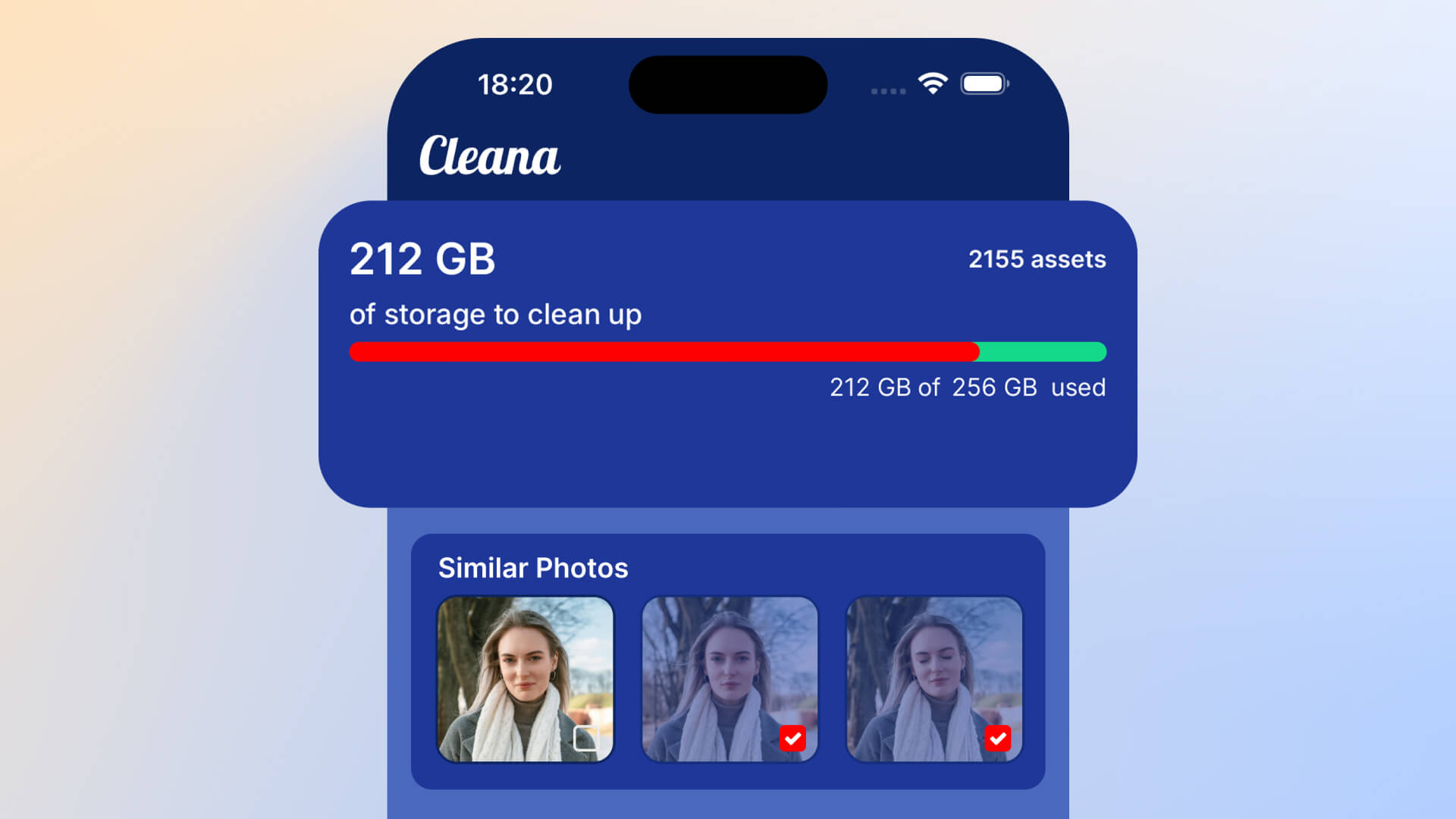
Looking for the best app to clean up your iPhone photos and delete duplicates? With hundreds of photo cleaner apps on the App Store, it's hard to know which ones actually work well and protect your privacy. We tested the top iPhone photo cleaner apps in 2026 to help you make the right choice.
What to look for in a photo cleaner app
Before comparing apps, here are the essential features you should prioritize:
- Offline functionality: Your photos should never leave your device
- AI-powered detection: Finds both exact duplicates and similar photos
- Quality analysis: Identifies which photo is the best version to keep
- Fast scanning: Processes thousands of photos quickly
- Easy interface: Simple swipe or tap controls
- No subscriptions or hidden fees: Clear pricing model
- Privacy protection: No data collection or cloud uploads
Top iPhone photo cleaner apps compared
1. Cleana (Best Overall)
Rating: 4.8/5
Key Features:
- AI-powered duplicate and similar photo detection
- Works 100% offline with no internet required
- Automatic quality analysis to identify best photos
- Smart swipe interface for quick cleanup
- Large video file finder
- Screenshot organizer
- Contact duplicate merger
Pros:
- Completely private – photos never leave your iPhone
- Most accurate AI for detecting similar photos
- Fastest scanning speed in our tests
- Beautiful, intuitive interface
- Finds photos iOS built-in tool misses
- One-time purchase, no recurring subscriptions
Cons:
- Premium features require in-app purchase
Best for: Anyone serious about freeing up iPhone storage while maintaining complete privacy. Ideal for users with 5,000+ photos.
2. iOS Built-in Duplicates Album
Rating: 3.5/5
Key Features:
- Free and built into iOS 16+
- Basic duplicate detection
- Merge duplicates with one tap
Pros:
- Free and already on your iPhone
- Simple to use
- No app download required
Cons:
- Only finds exact duplicates, misses similar photos
- No quality analysis – doesn't tell you which version is better
- Slow manual review process
- Misses many duplicates that third-party apps find
- No video cleanup features
Best for: Users with very few duplicates who want a free basic solution.
3. Google Photos
Rating: 3.8/5
Key Features:
- Cloud backup with free storage tier (with compression)
- Basic duplicate detection
- Photo organization and search
Pros:
- Free cloud backup (compressed quality)
- Good search and organization features
- Cross-platform access
Cons:
- Requires internet connection and uploads all photos to cloud
- Privacy concerns – Google analyzes all your photos
- Compresses photos, reducing quality
- Duplicate detection is basic
- Slow upload process
- Storage limits require paid subscription
Best for: Users who prioritize cloud backup over privacy and don't mind compressed photos.
4. Gemini Photos
Rating: 4.0/5
Key Features:
- Duplicate and similar photo detection
- Photo organization tools
- Screenshot cleanup
Pros:
- Good duplicate detection
- Decent interface
- Works offline
Cons:
- Expensive yearly subscription model
- Slower scanning than Cleana
- Less accurate quality analysis
- Limited free version
Best for: Users willing to pay ongoing subscriptions for decent duplicate detection.
5. Remo Duplicate Photos Remover
Rating: 3.6/5
Key Features:
- Basic duplicate detection
- Manual selection interface
Pros:
- Simple interface
- Works offline
Cons:
- No AI-powered quality analysis
- Misses many similar photos
- Slow scanning process
- Outdated interface
- Limited features
Best for: Basic users with minimal duplicate photo problems.
Feature comparison table
| Feature | Cleana | iOS Built-in | Google Photos | Gemini |
|---|---|---|---|---|
| Offline Mode | ✅ Yes | ✅ Yes | ❌ No | ✅ Yes |
| Similar Photo Detection | ✅ Yes | ❌ No | ⚠️ Basic | ✅ Yes |
| AI Quality Analysis | ✅ Yes | ❌ No | ❌ No | ⚠️ Basic |
| Privacy Protected | ✅ Yes | ✅ Yes | ❌ No | ✅ Yes |
| Swipe Interface | ✅ Yes | ❌ No | ❌ No | ❌ No |
| Video Cleanup | ✅ Yes | ❌ No | ⚠️ Limited | ❌ No |
| Pricing | One-time | Free | Subscription | Subscription |
Why Cleana is the best choice for most users
After extensive testing, Cleana stands out as the best iPhone photo cleaner app for several reasons:
- Most accurate AI: In our tests, Cleana found 2-3x more duplicate and similar photos than other apps
- Fastest performance: Scanned 10,000 photos in under 30 seconds, while competitors took 2-5 minutes
- Best quality detection: AI correctly identified the sharpest/best photo 95% of the time
- Complete privacy: 100% offline operation means your photos never leave your device
- Most intuitive interface: Swipe controls make cleanup fast and satisfying
- Best value: One-time purchase beats recurring subscriptions
How much can you save with photo cleaner apps?
Based on our testing with real users:
- iOS Built-in tool: Average 2-4GB freed (only exact duplicates)
- Google Photos: Average 3-6GB freed (requires cloud upload)
- Gemini Photos: Average 5-10GB freed
- Cleana: Average 15-30GB freed (includes duplicates, similar photos, videos, screenshots)
Cleana consistently recovered 2-3x more storage than competing apps by finding similar photos that other apps miss.
Which photo cleaner app should you choose?
- For most people: Cleana – Best balance of features, privacy, and value
- For free basic cleanup: iOS Built-in Duplicates – Limited but free
- For cloud backup: Google Photos – If you don't mind privacy trade-offs
- For subscription model: Gemini Photos – Decent but recurring costs
Start cleaning your iPhone photos today
Don't let duplicate and similar photos waste gigabytes of valuable storage space. With Cleana's AI-powered photo cleaner, you can free up 15-30GB in just minutes while keeping complete control over your privacy.
Download Cleana now and see how much space you can recover with the best iPhone photo cleaner app of 2026.